Overview
The SolidWorks SkillBuilder was a two-week mini-project in my Cornerstone of Engineering course, designed to sharpen our SolidWorks skills. Working solo, I designed a full themed chess set — six unique pieces (king, queen, rook, bishop, knight, and pawn) — then used a SolidWorks assembly to set one side up on a provided board, and generated orthographic and isometric drawings of the parts and the assembly.
I chose an ocean theme, mapping each piece to something from the sea.
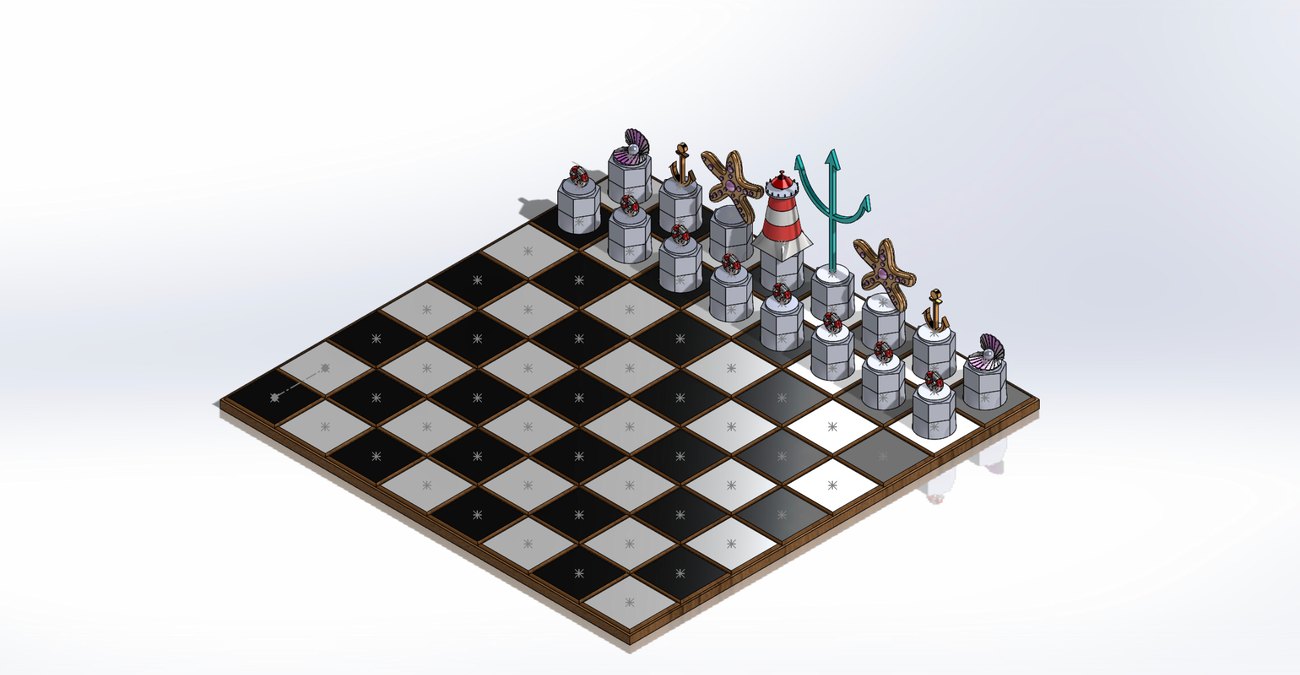
The pieces
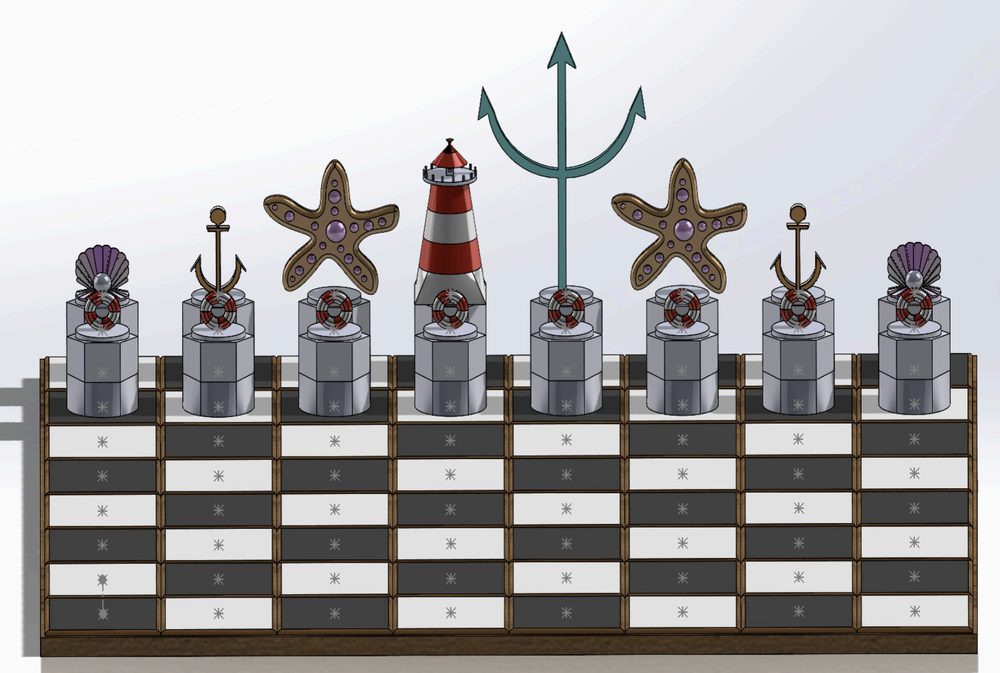
Each piece maps to an ocean object, ordered by the strength of the piece. Heights are measured from the lowest to the highest point of each model.
- King
- Trident · 4.37 in
- Queen
- Lighthouse · 3.00 in
- Rook
- Anchor · 2.72 in
- Bishop
- Starfish · 2.12 in
- Knight
- Shell · 1.58 in
- Pawn
- Lifebuoy · 1.50 in
How I modeled it
I started by sketching each piece on my iPad and working out its dimensions, then watched tutorials for the shapes I hadn't modeled before. From there I built one piece a day and assembled the full board at the end. The set was rendered in SolidWorks rather than physically printed.
Tools & techniques
The set gave me a reason to reach for a wide range of SolidWorks features:
- Mirror
- Modeled one half of the anchor and trident, then mirrored; drew half the shell pattern and mirrored it across the front plane, then again across the top plane.
- Loft
- Built the lighthouse from a square on the front plane lofted through decreasing circles on reference planes.
- Revolve
- Turned a semicircle into a sphere for the shell's pearl.
- Fillet
- Softened the sharp edges on the starfish, anchor, trident, and lighthouse.
- Split
- Divided the shell into sections so each part could be colored separately.
- Dome
- Added texture to the starfish with tiny extruded circles, domed at the top.
Resources & support
I leaned on the class worksheets for a refresher on the required tools, a range of YouTube tutorials, and a teammate — a civil engineering major — who helped me think through where to start a few of the trickier sketches. Along the way I picked up the split, dome, and check-sketch tools, the last for finding open contours.
What I'm most proud of is how much I learned — and not giving up when I got frustrated.